

¿Para qué sirve Weet?
Weet es una herramienta de creación de videotutoriales con IA que simplifica la producción de videos de calidad profesional. Con una interfaz intuitiva y accesible directamente desde el navegador, Weet ofrece diversas funciones para optimizar la grabación y edición de video. Características principales: Interfaz basada en navegador: Accesible directamente desde el navegador, sin necesidad de instalar software adicional. Recorte con IA: Elimina automáticamente pausas y palabras de relleno, creando videos concisos y atractivos. Supresión de ruido con IA: Reduce el ruido de fondo para mejorar la calidad del audio en los videos grabados. Encuadre facial con IA: Optimiza el encuadre del video para garantizar una apariencia profesional. Integración con Slack y Microsoft Teams: Permite crear y compartir videos directamente desde estas populares plataformas de comunicación. Actualizaciones y comentarios de video fáciles: Los usuarios pueden actualizar videos y agregar comentarios fácilmente en cualquier etapa del proceso de creación. Amplia gama de aplicaciones: Ideal para crear videotutoriales, tutoriales, demostraciones y materiales de capacitación para clientes o empleados. Confianza de los expertos del sector: Reconocida y utilizada por profesionales de diversos sectores. Interfaz intuitiva: Su diseño intuitivo y controles sencillos facilitan el uso de la herramienta. Casos de uso: Profesionales y equipos que buscan crear videotutoriales y demostraciones de alta calidad. Organizaciones que buscan proporcionar materiales de formación completos y recursos de incorporación para sus empleados. Empresas que buscan mejorar la comunicación y la colaboración mediante el intercambio de conocimientos en vídeo. Educadores y formadores interesados ??en ofrecer contenido de vídeo atractivo e informativo a sus estudiantes o aprendices. Personas y empresas que buscan crear una videoteca con tutoriales y demostraciones para sus clientes. Weet es una potente herramienta que permite a los usuarios crear vídeos de calidad profesional fácilmente.
- Categoría: Audio
- Precio informado: -
- Licencia: freemium

Weet
Weet es una herramienta de creación de videotutoriales con IA que simplifica la producción de videos de calidad profesional. Con una interfaz intuitiva y accesible directamente desde el navegador, Weet ofrece diversas funciones para optimizar la grabación y edición de video. Características principales: Interfaz basada en navegador: Accesible directamente desde el navegador, sin necesidad de instalar software adicional. Recorte con IA: Elimina automáticamente pausas y palabras de relleno, creando videos concisos y atractivos. Supresión de ruido con IA: Reduce el ruido de fondo para mejorar la calidad del audio en los videos grabados. Encuadre facial con IA: Optimiza el encuadre del video para garantizar una apariencia profesional. Integración con Slack y Microsoft Teams: Permite crear y compartir videos directamente desde estas populares plataformas de comunicación. Actualizaciones y comentarios de video fáciles: Los usuarios pueden actualizar videos y agregar comentarios fácilmente en cualquier etapa del proceso de creación. Amplia gama de aplicaciones: Ideal para crear videotutoriales, tutoriales, demostraciones y materiales de capacitación para clientes o empleados. Confianza de los expertos del sector: Reconocida y utilizada por profesionales de diversos sectores. Interfaz intuitiva: Su diseño intuitivo y controles sencillos facilitan el uso de la herramienta. Casos de uso: Profesionales y equipos que buscan crear videotutoriales y demostraciones de alta calidad. Organizaciones que buscan proporcionar materiales de formación completos y recursos de incorporación para sus empleados. Empresas que buscan mejorar la comunicación y la colaboración mediante el intercambio de conocimientos en vídeo. Educadores y formadores interesados ??en ofrecer contenido de vídeo atractivo e informativo a sus estudiantes o aprendices. Personas y empresas que buscan crear una videoteca con tutoriales y demostraciones para sus clientes. Weet es una potente herramienta que permite a los usuarios crear vídeos de calidad profesional fácilmente.
Introducing Weet: A Comprehensive AI-Powered Video Communication Platform
Weet is an innovative, AI-driven video communication platform designed to transform the way teams collaborate and share information. This intelligent tool leverages the power of artificial intelligence to facilitate asynchronous video communication, enabling users to create, share, and engage with video content more efficiently and effectively.
Problem Weet Resolves
Traditional video conferencing platforms often require participants to coordinate their schedules, leading to time-consuming meetings and reduced productivity. Weet addresses this problem by offering a flexible, asynchronous solution that allows users to create and share video messages at their convenience. This approach empowers teams to communicate more efficiently, reducing the need for lengthy meetings and fostering a more agile and responsive work environment.
Key Functionalities
1. Asynchronous video messaging: Weet enables users to create and share video messages that can be viewed and responded to at the recipient's convenience, streamlining communication and reducing scheduling conflicts.
2. AI-driven transcription and translation: Weet's built-in AI capabilities provide automatic transcriptions and translations of video content, making it easier for users to consume and engage with the content in their preferred language.
3. Interactive features: Weet offers a range of interactive features, such as comments, reactions, and polls, allowing users to engage with the content and collaborate with their team members more effectively.
4. Video editing tools: Weet provides a suite of video editing tools, enabling users to trim, crop, and enhance their videos for a more polished and professional appearance.
5. Integration with popular tools: Weet integrates seamlessly with a variety of popular productivity and communication tools, such as Google Workspace, Slack, and Microsoft Teams, ensuring a smooth and cohesive workflow.
Real-World Use Cases
1. Remote team collaboration: Weet enables remote teams to communicate and collaborate more efficiently by sharing video messages, feedback, and ideas asynchronously.
2. Sales and marketing: Sales and marketing teams can leverage Weet to create personalized, engaging video content for their prospects and customers, increasing conversion rates and fostering stronger relationships.
3. Customer support: Customer support teams can use Weet to create and share video tutorials, walkthroughs, and FAQs, reducing the need for live support and enhancing the customer experience.
4. Training and onboarding: HR and training teams can utilize Weet to develop and deliver engaging, interactive training materials, streamlining the onboarding process and ensuring a consistent learning experience for all employees.
Target Audience
Weet is an ideal solution for various user segments, including:
1. Remote and distributed teams seeking a more efficient and flexible communication platform.
2. Sales and marketing teams looking to create personalized, engaging video content.
3. Customer support teams aiming to reduce live support requests and improve the customer experience.
4. HR and training teams focused on delivering effective, interactive training materials.
5. Agile organizations striving to foster a more responsive and adaptive work environment.
Advantages and Disadvantages
Advantages:
1. Asynchronous communication: Weet's primary advantage is its ability to facilitate asynchronous communication, reducing scheduling conflicts and increasing productivity.
2. AI-driven features: Weet's built-in AI capabilities simplify video creation, consumption, and engagement, making it an accessible and user-friendly platform.
3. Interactive features: Weet's interactive tools foster collaboration and engagement among team members, enhancing the overall communication experience.
Disadvantages:
1. Learning curve: As with any new platform, there may be a learning curve associated with mastering Weet's features and functionalities.
2. Limited integration options: While Weet integrates with popular tools like Slack and Google Workspace, it may not support integration with all the tools in your tech stack.
Comparing Weet with Alternatives
Weet's primary competitors include platforms like Loom, Vidyard, and BombBomb. While these alternatives offer similar features, Weet differentiates itself through its AI-driven capabilities, asynchronous communication focus, and interactive features.
Pricing Model
Weet offers a tiered pricing model, including:
1. Free Plan: Weet's free plan provides basic features, such as unlimited Weets, transcriptions, and integrations with popular tools. This plan is suitable for individual users or small teams with limited needs.
2. Pro Plan: The Pro Plan, priced at $12 per user per month, includes advanced features like AI-driven translations, custom branding, and priority support. This plan is ideal for growing teams and organizations seeking a more comprehensive solution.
3. Business Plan: The Business Plan, priced at $24 per user per month, offers advanced collaboration tools, such as advanced analytics, user roles, and SSO. This plan is designed for larger organizations and teams that require enhanced collaboration and security features.
Please note that the pricing information is based on publicly available data and may be subject to change. For the most up-to-date and accurate pricing information, please visit Weet's official website.
Las funciones, precios y condiciones pueden cambiar. Verificá los datos vigentes en el sitio oficial.
Compará herramientas similares.
Revisá otras opciones según tu necesidad.
También puede interesarte
 Openbroca
The best Typeless alternative for Mac. Turn your voice into clear text in the apps you use, with AI cleanup, a personal dictionary, and translation.
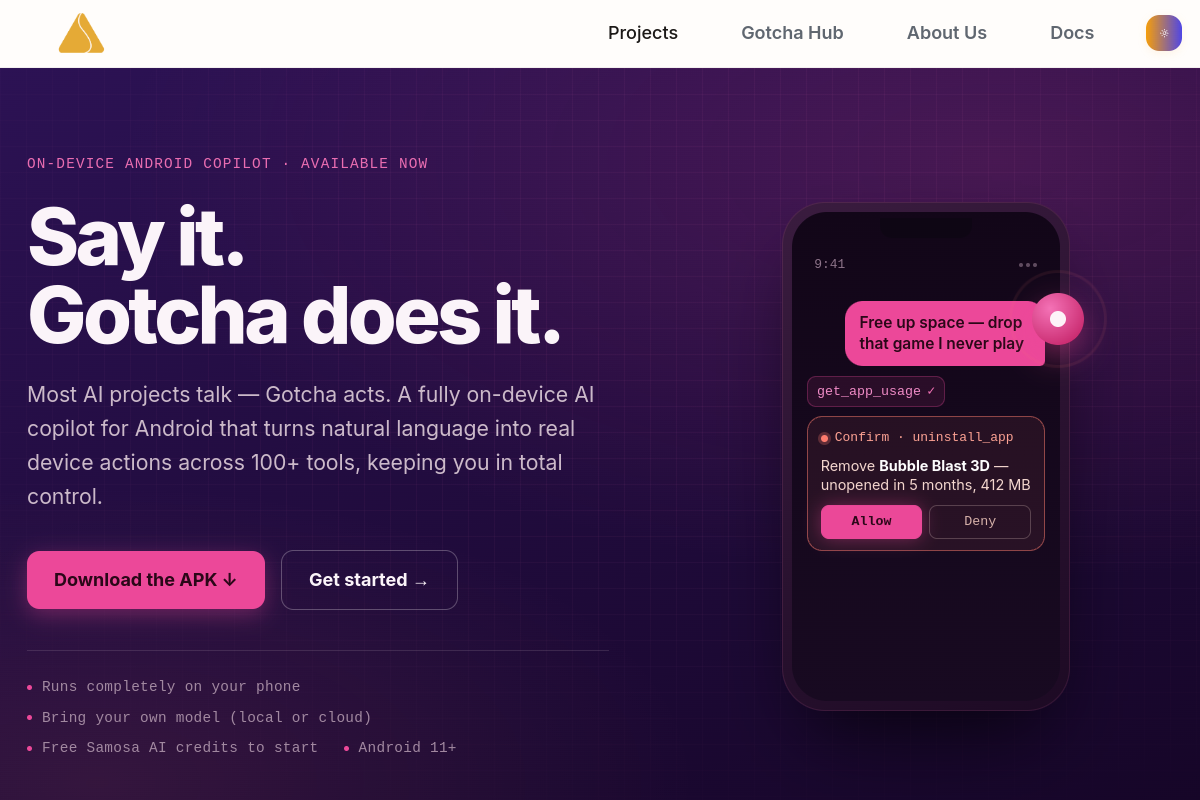 Gotcha
 es un copiloto de IA totalmente integrado en el dispositivo para Android: controla tu teléfono con lenguaje natural a través de más de 100 herramientas, modos de seguridad duales y llamadas de voz desde cualquier aplicación.
 WhoDunnitAI
Adéntrate en la sala de interrogatorios. Entrevista a los sospechosos controlados por IA con tu propia voz, descubre sus mentiras y acusa al asesino cara a cara. Resuelve el asesinato en Blackwood Manor… si puedes…
 Altered
Mejora tu voz. Nuestra tecnología única te permite adaptar tu voz a cualquiera de nuestro portafolio cuidadosamente seleccionado o voces personalizadas y crear interpretaciones profesionales cautivadoras.